
Goalie Eye
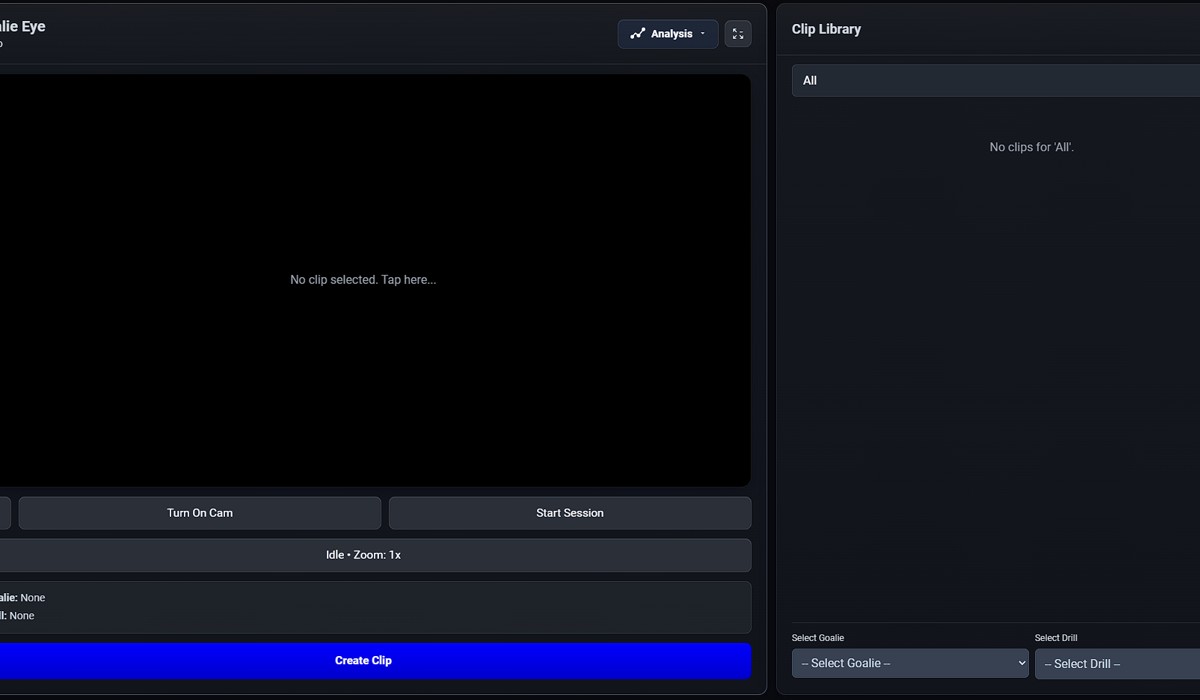
No clip selected. Tap here...
Clip A
Clip B
Idle • Zoom: 1x
Goalie: None
Drill: None
Coaches Eye turns your phone or tablet into a live analysis studio — capture saves in real time, tag goals, build practice reels, and share drills with your team, all from one app.
A peek inside
Every tool in the app, in one place. Tap any card for the full rundown.
What's new in Coaches Eye — check back here after every release.
The whole camp schedule got a ground-up redo. Instead of fiddly rows, the Schedule tab is now a clean timeline you build by tapping — hit + Add activity or a quick-add chip (Drop-off, Warm-up, Ice session, Lunch, Pickup and more), then tap any activity to edit it in a focused popup with an easy hour/minute + AM/PM picker. Removing something is a single ✕, and activities no longer jump around while you type. You can keep one Everyday schedule or give any single date its own custom plan, and the sidebar now lists the full day with the current activity highlighted Now (and the next one up marked Next). Camps also have real dates now: set a start and end date (and which weekdays it runs) when you create the camp, and it drops straight onto your calendar so every day is visible. A new 📅 Dates button in Camp HQ lets you change the run, mark days off, and handle camps that run, say, Tuesday–Thursday across several weeks — with ‹ › buttons to jump between camp days and a “Day 3 of 12” marker. Campers feel it too: the day's plan now shows on both their Camp Day tab and their main Schedule, and they get a peek at the next camp day's plan as well. Parents opening the sign-up link see the camp's name, dates, daily hours and location up top, with a “typical day” schedule at the bottom.
Check-out is quicker and friendlier. Tapping Check out opens the pickup popup with a big one-tap check-out button plus your authorized guardians — tap a guardian to record who collected them, or check them out in one tap regardless of who's picking up. Someone not on the list gets a verify-and-flag step, and if a parent is grabbing siblings you can release them together. You can now also go back and fix any past day: open a previous date and mark campers in or out just like today (future days stay view-only), and those entries are stored against the correct day. And the new History tab lays out every past day of camp at a glance — who was in and out, when, who picked them up, any flagged pickups, and the schedule that ran that day — with one-tap CSV export for your records.
Eye Training got a big workout. Four new drills bring the set to eleven: Read the Play (tap numbered pucks in order to train scanning and reading the ice), Rebound (track a bouncing puck and pounce the instant it lights up), Puck Sort (tap only the colour that's called and leave the rest alone), and Tracker (memorise a few pucks, follow them through the shuffle, then pick them back out — the classic multiple-object-tracking drill). Fullscreen mode now has a 🎮 Games button, so athletes can switch drills and difficulty without dropping out of fullscreen, and every drill shows its how-to-play rules right on the start screen before Start or Play Again — no guessing how a new one works. Best scores still flow back to the coach automatically.
Big one for camps. The parent sign-up link works properly now — submissions were being rejected before they ever left the browser, and the link was landing parents on this page instead of the form. Both fixed, and the form scrolls properly on a phone. Camp HQ has a new 🧒 Pending Players button at the top with a live count of families waiting on you; approving still drops them straight onto the roster with allergies, guardians, and pickups already filled in. The daily schedule now actually reaches the people it was written for: campers and staff could never load it, so the Camp Day tab sat empty — it publishes to their portals now. The "Now" marker follows your real time blocks instead of assuming everything runs an hour, and each camper only sees their own group's stations alongside whole-camp items like lunch and pickup. Put a camp on the calendar and the day's plan shows right on that event in the Schedule tab too. Camp attendees also get the full Client Notes view — eye-training scores, 🎬 Compile Reel, fees and payments, and print — the same one private clients have had, reachable from a 📝 button on any camper card. Campers whose portal codes were made before camps existed will start showing their Camp Day tab automatically the next time you open Camp HQ.
Booking a slot, joining a waitlist, and requesting a reschedule from the Student/Client Portal now open a proper popup instead of the browser's plain prompt box — you get a clear summary of the time (and rink, and price) plus quick-pick reasons for reschedule requests. Fixed a rare bug where accepting a booking request could render two copies of the Calendar stacked on top of each other (a real-time sync refresh racing the normal one) — only the latest refresh wins now. The Calendar toolbar also has a new ✅ Attendance button so you don't have to go through Student Portal Manager to check RSVPs. And the login screen now reads "Student / Client Portal" so parents booking on behalf of a player know that's their door in too.
Availability now has a Minimum Booking Notice setting (No minimum up to 2 days) — clients can no longer request a slot that starts sooner than your own travel/prep buffer, and each coach on a team sets their own. Also new: individual blocks of hours can carry their own Rink/Location, separate from your Default Location, so a coach who works out of more than one rink can show clients exactly where each day's sessions happen — on the Book tab, the calendar's 📆 badge, and the coach's Requests panel.
The Leads panel's "Convert to Client" button does real work now — it creates the client on your roster automatically and saves their contact info and inquiry message as a private Client Note, so you're not re-typing anything from the original inquiry. Also fixed: the public "?inquire=" link was getting stuck behind the landing page instead of showing the inquiry form — it now shows immediately as intended.
Availability now has a No-Show Policy (Ask each time / Always charge / Never charge) that sets the default whenever a session is marked No-Show, with a one-tap override for a single exception. Full group sessions no longer just disappear from the Book tab — they show under "Full — Join the Waitlist," and the 🔔 Requests panel has a new Waitlist section to Promote or Remove entries. Packages can now carry an optional expiration date, shown as "Expires soon" / "⚠ Expired" on both sides, and skipped automatically by credit auto-deduction. Last but big: a new 🧲 Leads button gives you a public, no-login-required inquiry link — share it anywhere, and submissions land in a simple Leads list with New/Contacted/Converted/Archived status.
Private-lesson sessions can now be marked Completed, No-Show, or Client Cancelled right in the event editor — marking Completed (or a chargeable No-Show) automatically deducts a package credit, and status shows as a color-coded chip on the Calendar. A new 💰 Revenue button pulls it all together: completed revenue and charged no-shows for the month, a month total, upcoming revenue, and outstanding balances by client. Also new: every event can carry an optional Location, which shows as a tappable map link on the client's portal (and on their "Next Up" card); Availability has a default location too, auto-applied whenever you accept a booking request. Bonus: availability time blocks now have an Edit button, so adjusting your hours doesn't mean deleting and starting over.
Client Notes stay 100% private by default — session notes, shot log entries, and eye-training notes never leave your device on their own. The Player Hub's Notes tab now has a "Share a Private Note" picker, just like the Clips tab: browse your notes for that client and tap Share on the one you want sent to their portal, instead of retyping it into a separate message box. The quick "type a message" box is still there too for one-off notes.
Availability now supports group sizes — set 1-on-1 or up to 2/3/4 clients per slot — plus an optional price per session that shows to clients on their Book tab and on the confirmed session in their portal. Pending booking requests now show up directly on the Calendar as their own chip (client name + time) on the day requested — tap one to Accept/Decline right there. The 📆 Availability screen also now has its own Pending Requests section built in, so you can manage your hours and approve bookings without switching screens.
Opening any session that's part of a recurring series now shows "Edit Entire Series" and "Delete Entire Series" options right in the event modal — no more clicking into each one individually. Also new: a "📆 Availability" button on the Calendar lets a private-lesson coach set weekly open hours; clients see those open times on a new "Book" tab in their portal, request one, and it lands in your 🔔 Requests panel for a one-tap Accept/Decline. Accepted requests show up on the calendar and the client's Schedule tab automatically.
The Calendar now has a "Set Up Recurring" button — set a client's session to repeat weekly or every 2 weeks and it creates the whole series in one shot. Clients can also tap "Request Reschedule" from their portal to send you a note instead of just marking themselves unavailable; look for the new 🔔 Requests button on the Calendar (it badges with a count) to review and act on them.
The player-facing portal (what athletes see when they log in with their code) could render wider than the screen on some devices/window sizes — the header buttons, tab bar, and schedule card all got cut off at the same edge with no way to scroll to them. Fixed the layout so the header buttons wrap properly and nothing can force the page wider than the visible screen.
Adding or editing any Calendar event now has Practice Plan and Workout Plan sections built right in — pick drills and/or list out exercises with video links, and they're sent to every player's portal automatically the moment you hit Save. No more separate publish step. Also fixed the Student Portal Manager header getting cramped/cut off on phones now that it has more buttons.
Added "Team Dues" and "Team Plans" buttons to Student Portal Manager — assign a due, a practice plan, or a workout plan to the whole roster (or hand-pick players) in one shot instead of one player at a time. New Workout Plans let coaches list out exercises with sets/reps and an optional video link per exercise, viewable by players in a new Workouts tab on their portal. Also fixed a bug where the "Add Due" form popped up behind the player hub panel instead of in front of it.
The popup you get from Student Portal Manager is now a real hub: a Dues & Payments tab for logging and tracking what a player owes, a one-tap Compile Reel button that can send a finished highlight reel straight to that player's portal, and a Practice Plans tab showing what's been assigned to them. Also fixed a bug where dues added through this popup weren't actually saving.
Clicking a player on the Team Roster now opens the same sleek popup private-lesson coaches already had — avatar header, pill tabs, one-tap copy of the athlete's login code, plus notes and direct messaging, now available for team rosters too.
Started reworking the Private Lesson mode so it fits a solo coach running one-on-one or small-group sessions, separate from the full Team workflow.
Fixed the service worker so new app updates show up the moment you reload, instead of needing two refreshes (or seeming to not update at all).
Session notes, lesson package & credit tracking, payment logging, and eye-training score tracking — previously private-lesson only — are now available for team coaches as well.
New modern, dark-themed player cards with smoother hover and drag feel, replacing the old flat roster design.
Keep working with no signal — changes save on your device and sync up to the cloud automatically the moment you're back online.
Dragging a player into the lineup or Roster Builder no longer resets your scroll position or bounces you back to a different tab.
Athletes now have their own resource hub in the Athlete Portal, plus tracking/reaction eye-training drills they can run right in the app — coaches can see their best scores.
Expanded the Coaches Corner with more resources for coaches, alongside fixes to make clip archiving to the cloud more reliable.
Added English, French, Russian, Swedish, Finnish, Czech, Slovak, and German so international teams can use Coaches Eye in their own language.
New analysis mode — tap the goal posts, then tap the goalie's stance at each moment, and instantly see the deepest vs. most aggressive positioning compared side by side.
Fixed a string of sync bugs so clips, scouting reports, and Roster Builder changes made on one device now show up reliably — and in real time — on every other device.
Real subscriptions, real billing — Goalie Eye Pro launched with working payments, alongside a polished Practice Reel Editor and two-way coach/athlete messaging.